Planner 5D Copilot: An AI Agent Built for Home Design
Discover an AI agent that helps with layouts, materials, furniture, and edits while you work inside Planner 5D.
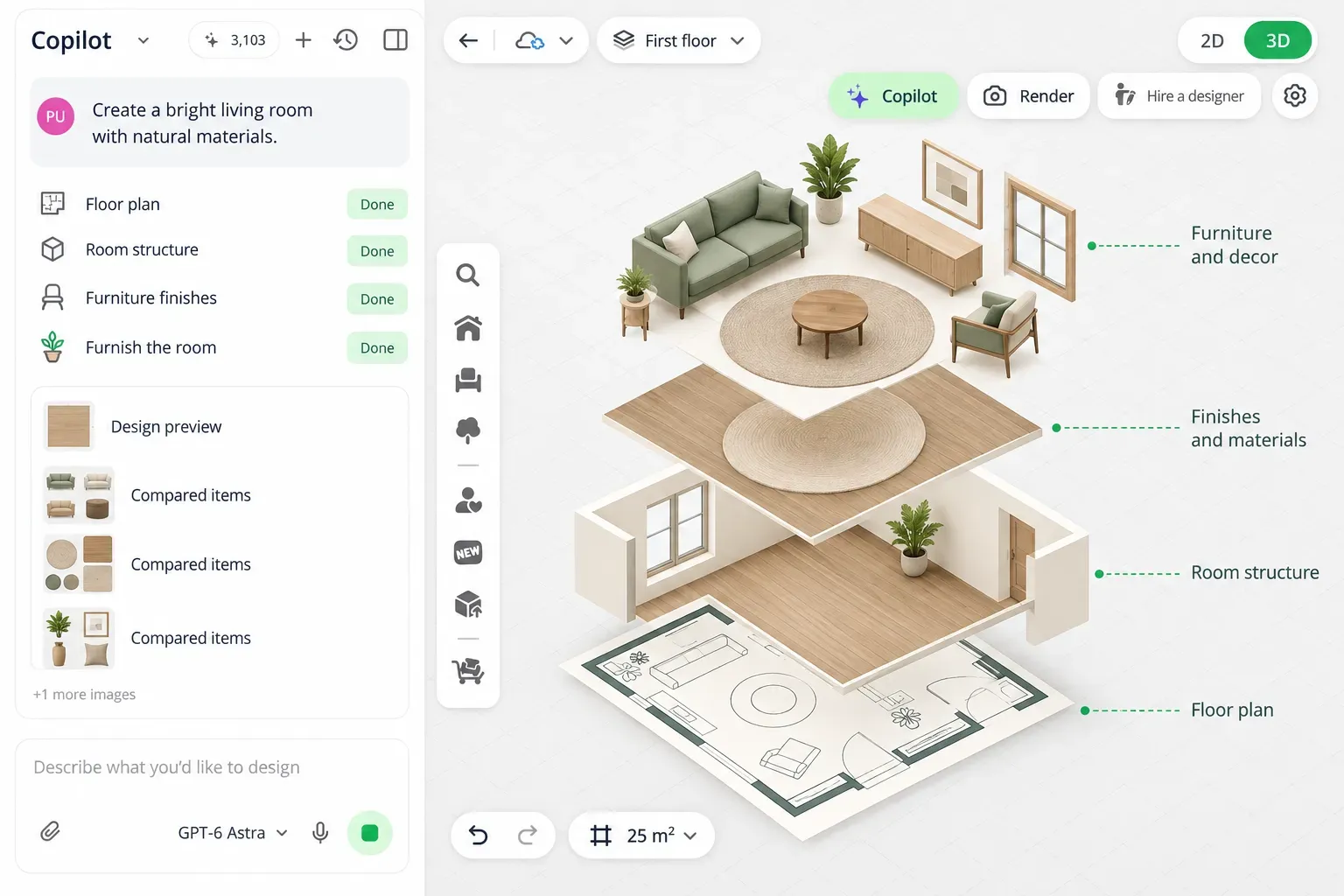
AI can generate a room image in seconds. The harder part starts when you want to change the layout, move the furniture, check dimensions, test finishes, or turn ideas into something you can actually continue working on.
That is where Planner 5D Copilot, your personal AI agent for architecture and interior design, comes in. You can assign tasks using text or voice, review the results directly in the Planner 5D editor, make adjustments, and continue refining your fully editable 2D and 3D project.
What is Planner 5D Copilot?
Planner 5D Copilot is an AI agent built into the Planner 5D editor. You can describe a design task in natural language, and the agent can carry out supported actions directly in the project you are working on.
You can ask Copilot to create a room layout, place furniture, reorganize an existing space, or change materials. Instead of returning a separate image or a list of suggestions, it makes those changes within the Planner 5D project.
This means Copilot works alongside the editor rather than replacing it. You can ask the agent to handle part of the work, inspect the result in 2D or 3D, make manual changes, and then use the AI agent again for the next task.
What can you do with Copilot?
You can use Planner 5D Copilot to:
- Create floor plans and room layouts based on the requirements you provide.
- Arrange and reorganize furniture around circulation, storage, seating, work areas, or other needs.
- Change materials, colors, and finishes without rebuilding the project.
- Edit existing designs while keeping selected elements unchanged.
- Work on rooms, complete homes, and outdoor areas.
- Prepare visualizations that can support later planning.
These actions do not have to happen separately. A single brief can combine layout, furniture, style, and functional requirements, and you can refine each part as the project develops.
Focus on your ideas. Put Copilot to work.
Describe what you want to create and let Planner 5D Copilot help turn your ideas into an editable 2D and 3D design.
Try Planner 5D Copilot →How Copilot fits into the design workflow
Imagine you are designing a bathroom and want a calm, spa-like look with warm stone finishes. You ask Copilot to create the space with a walk-in shower, a freestanding tub, and a walnut vanity. Based on that brief, the AI agent generates the first arrangement.
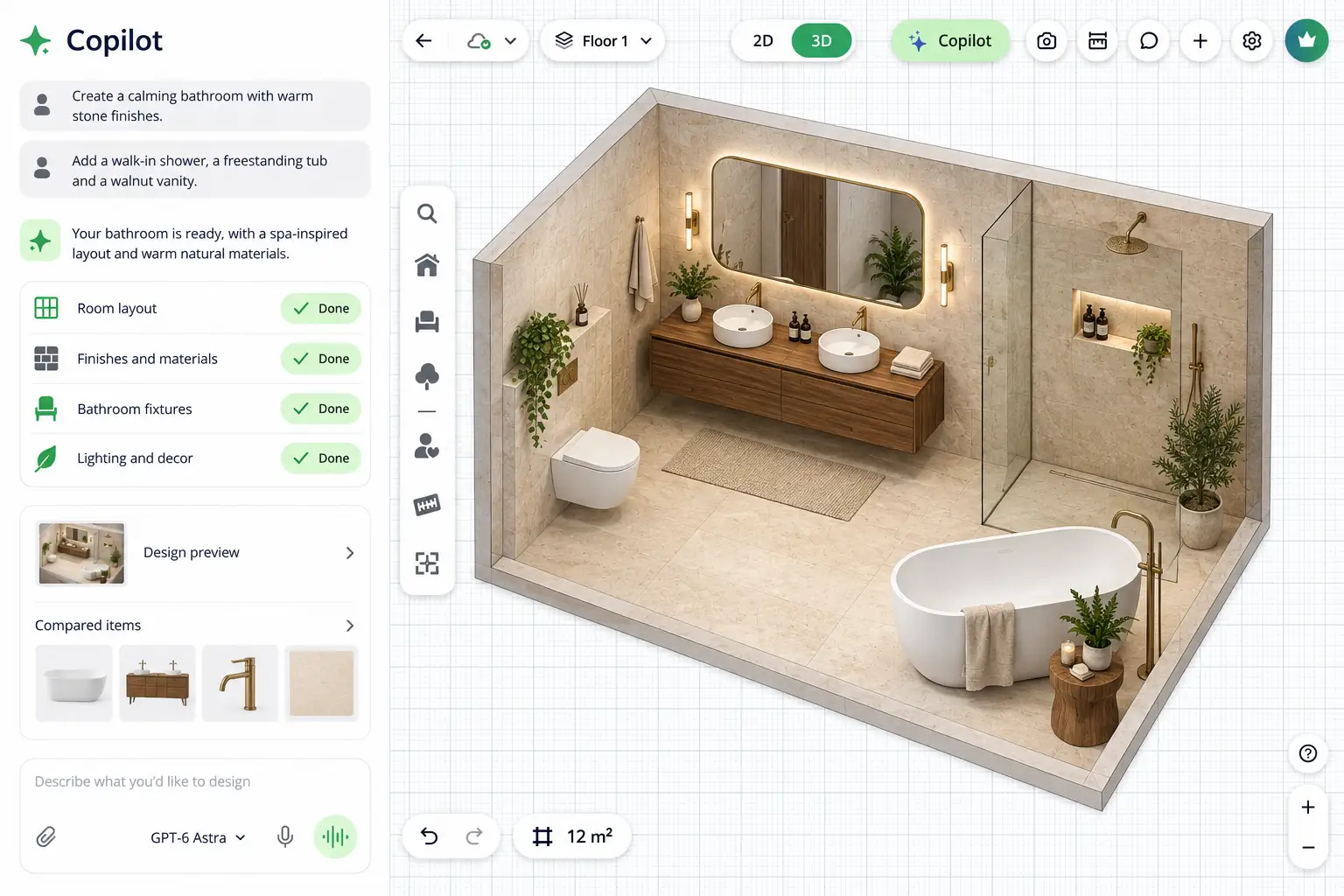
After reviewing the first version, you decide the layout would work better if the vanity moved to the left wall and the tub moved to the back wall, while keeping the same finishes and fixtures. Instead of redesigning the bathroom from scratch, you can give Copilot that follow-up instruction and let it update the arrangement.
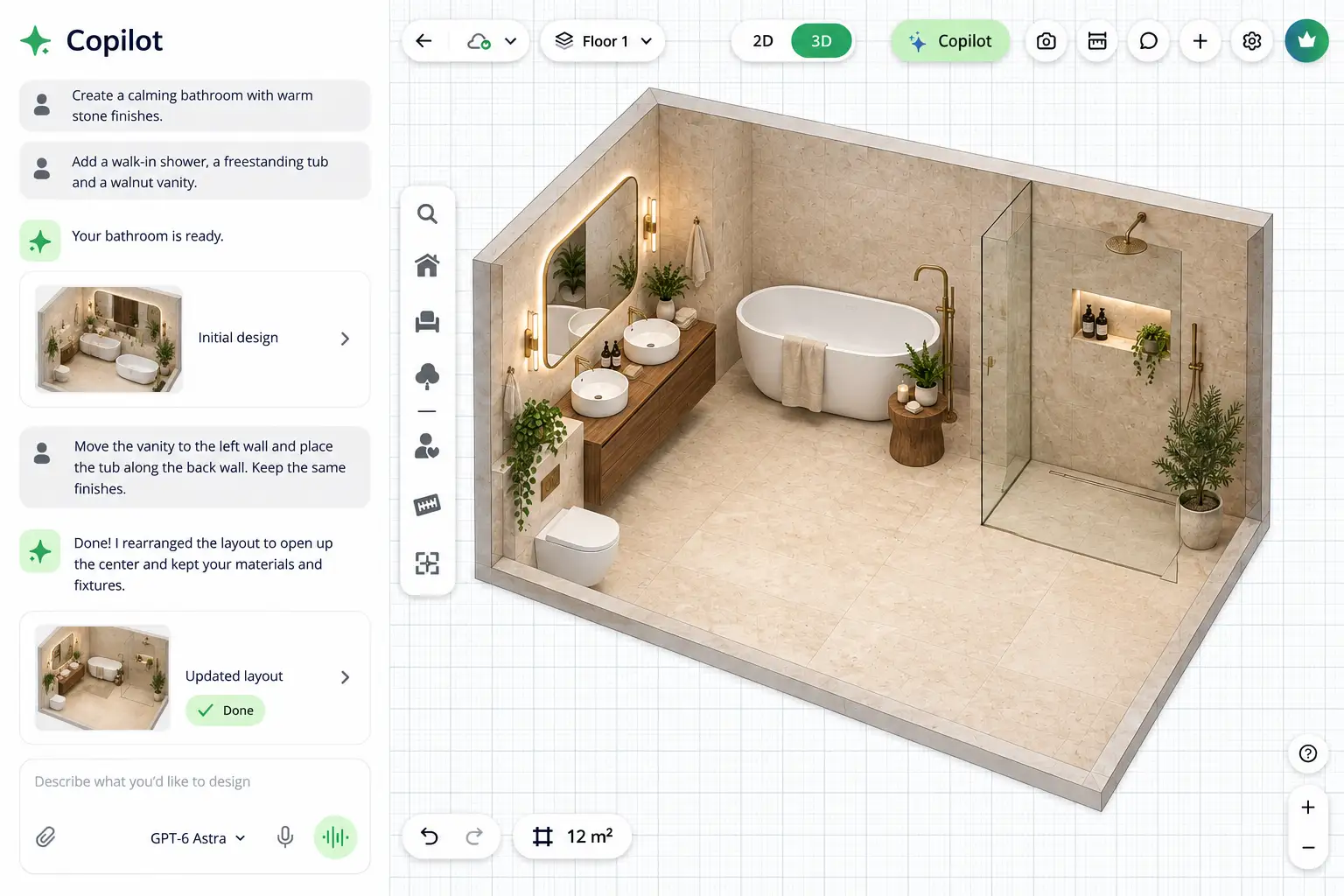
At any point, you can stop using the agent and edit the project manually. That back-and-forth is central to how Copilot works: you can delegate a task, review the result, adjust it, and decide what happens next.
Start with a design brief, then refine it
You do not need a perfect prompt before opening Planner 5D Copilot. It is more useful to think of the first request as a design brief. Include the information that actually affects the space, such as:
- room dimensions;
- activities it needs to support;
- furniture that must stay;
- storage requirements;
- preferred style or materials;
- important layout constraints.
After seeing the first proposal, you can make more specific requests. The process becomes iterative rather than relying on one long prompt to get everything right immediately.

Use Copilot with an existing project
Planner 5D Copilot can also be a helpful tool when most of the design already works and you only want to change part of it. Clear instructions about what should stay and what can change make these requests more useful. For example:
Keep: the sofa, TV unit, and current layout.
Change: the armchair and side table.
Add: a compact reading corner with a floor lamp.
Goal: improve circulation near the entrance.
Text and voice commands
Copilot supports both text and voice input, giving you different ways to interact with the same project. You can switch between both approaches during the same workflow.
Text is useful for longer briefs, measurements, or instructions with several constraints. Voice can be more convenient when reviewing a design and making quick changes, such as asking the agent to move the dining table, add storage, or try another material.

How much control does the AI have?
Copilot is based on delegation rather than full automation. You can ask it to handle something broad, such as developing the first room layout, or something very specific, such as changing the flooring while leaving the furniture untouched.
A typical workflow might look like this:
- Ask Copilot to create the first furniture layout.
- Check dimensions and circulation in 2D.
- Make a precise manual adjustment.
- Ask Copilot to explore another material palette.
- Review the result in 3D.
- Continue editing manually or assign another task to the agent.
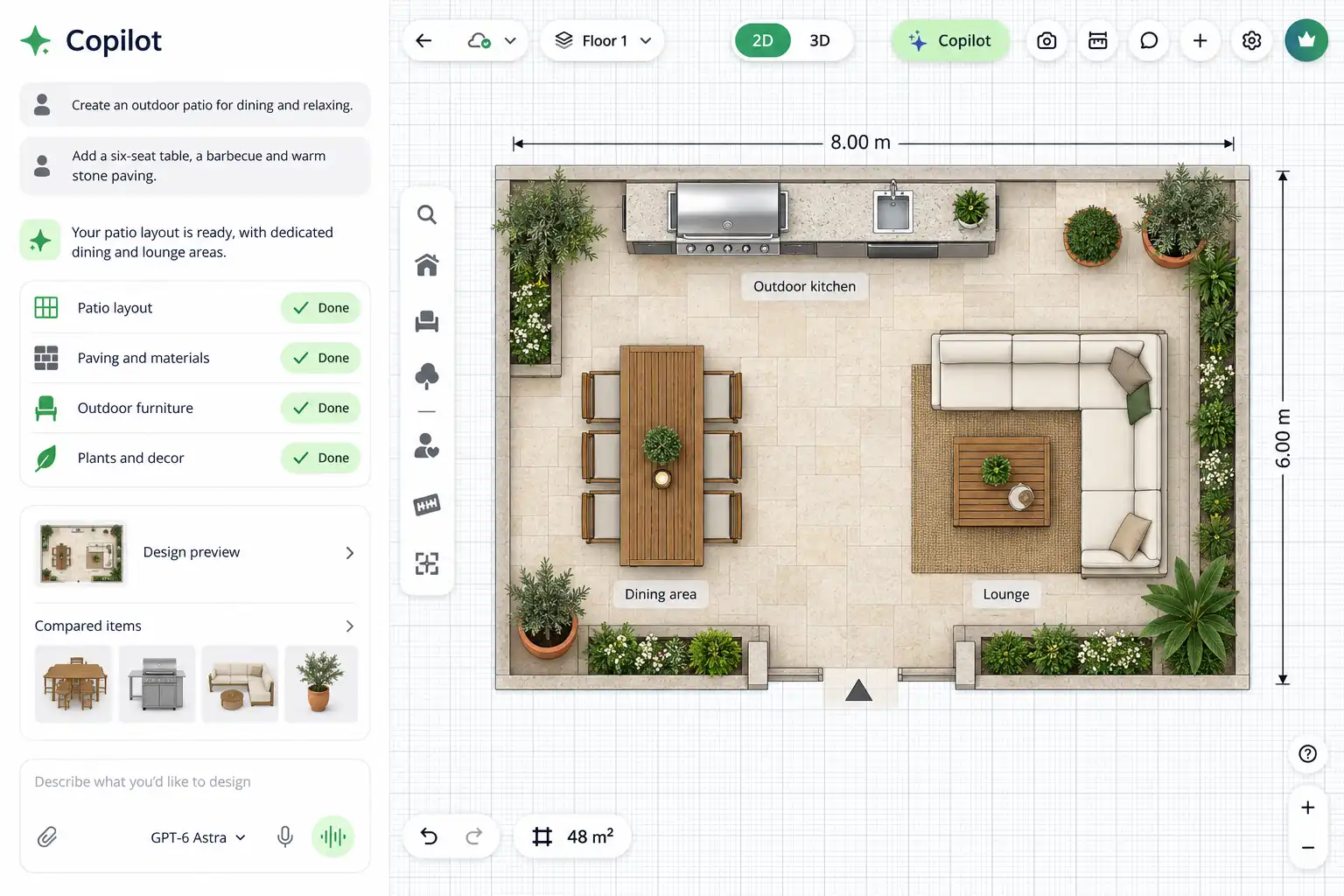
The user remains responsible for deciding which version works and how far the AI should take each part of the project.
The technology behind Planner 5D Copilot
Planner 5D Copilot combines language models and generative AI with Planner 5D's own spatial design tools. Its technology stack includes systems such as GPT-6 Astra, FLUX, Kling, and Seedance, which contribute to different design and visual-generation tasks.
The user does not need to choose a model for each action. Copilot provides one interface where you describe what needs to be created or changed, while the system handles the underlying tools.
Where Copilot is most useful
Planner 5D Copilot is especially useful when you have a design problem to solve rather than just an image to generate. It can help you create a first layout faster, adapt an existing room to new needs, test ideas without rebuilding the project, and move between AI assistance and manual editing inside the same workspace.
Most importantly, the project remains yours to inspect and change. Copilot helps with the work inside the Planner 5D editor, while you decide which ideas should become part of the final design.
Make your next design move with Copilot.
Give Planner 5D Copilot a task, see the changes inside the editor, and continue developing the project your way.
Try Planner 5D Copilot →You may also like:
- 10 Best Home Design Apps for Android and iOS in 2026
- WebMCP for Interior Design for Claude or Codex
- AI vs Interior Designer: Which Is Better for Your Home?
- Client Story: Designing a New Home Before It Was Built
- Frequently Asked Questions about Planner 5D
- Claude for Interior Design: From Ideas to a 3D Room Plan