
Real-time collaboration
Multiple users can work on the same project at the same time, editing, commenting, and viewing together. Every change appears instantly for all participants, so your team always sees the latest version of the design.
Bring your ideas to life with your team in a shared space where you can design and edit your home together instantly.
Start designing together Multiple users can work on the same project at the same time, editing, commenting, and viewing together. Every change appears instantly for all participants, so your team always sees the latest version of the design.

No need to refresh or re-share. As soon as a collaborator makes a change, it's visible to the whole team in real time, keeping everyone aligned throughout the design process.

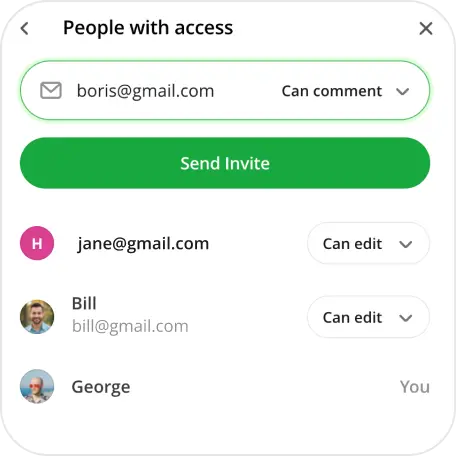
Invite collaborators by link or email and choose exactly what they can do — view, comment, or edit. Share your project with a partner, a client, or an entire team in just a few clicks.
Go to your dashboard and open the project you want to share.
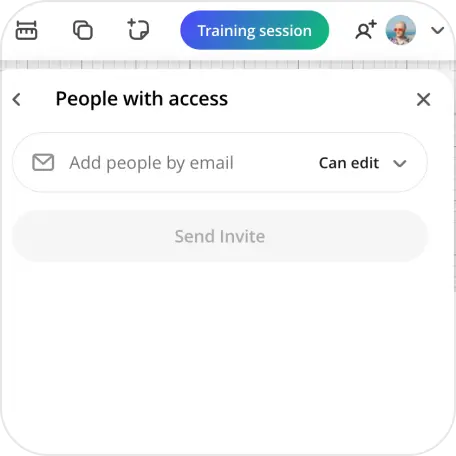
In the project toolbar, click the Share icon and select Share Project.
In the sharing window, add people by email or copy the link to share it directly. For each person you invite by email, choose their permission level: view or edit.
After sharing, you can review and update each collaborator's permissions at any time, upgrading, downgrading, or removing access as needed.
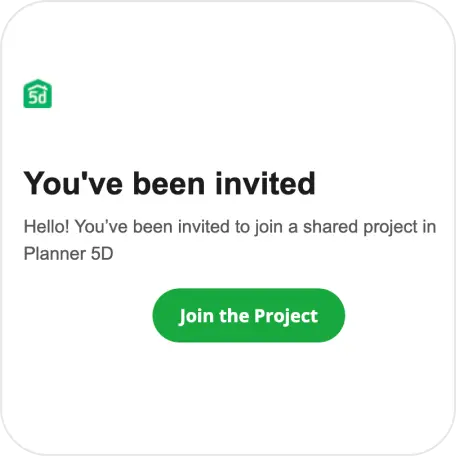
Invited users receive an email notification with a direct link to join the project. One click and they're in.
Collaborative home design has never been easier. With Planner 5D's multiplayer mode, you and your team can work on the same project simultaneously from any device, anywhere in the world. Watch furniture move, rooms take shape, and decisions get made in real time, with every participant's cursor visible on the canvas.
Whether you're a homeowner designing with a partner, or an interior designer collaborating with a client, multiplayer removes the back-and-forth of file sharing and version confusion. Everyone stays on the same page — literally. Invite collaborators by email or link, assign editing or viewing permissions, and let the creative process flow without interruption.
Planner 5D makes real-time interior design collaboration accessible to everyone, no technical skills required, no software to install. Just open your project, invite your team, and start designing together.
Shared collaboration mode in Planner 5D lets multiple people work on the same home design project simultaneously in real time. Whether you're designing with a partner, getting feedback from a client, or collaborating with a colleague, everyone sees changes as they happen. Each participant has their own cursor and presence indicator, so you always know who\'s working on what.
Yes. With Planner 5D's multiplayer feature, several people can edit the same project at the same time from different devices. Changes made by any collaborator appear instantly for everyone in the session, no need to refresh, export, or share files manually.
You can invite collaborators directly from your project by sharing a link or sending an email invitation. Once they join, they're immediately part of the session and can start contributing based on the permissions you\'ve assigned.
Yes. Planner 5D's multiplayer mode supports role-based permissions. You decide whether each collaborator can only view the project, leave comments, or make edits. This makes it easy to share work-in-progress with clients for feedback while keeping full editing control for yourself.
Collaborators can join a shared project via a link. Depending on their role, account requirements may vary. Check the sharing settings in your project for the most up-to-date access options.
Yes, shared editing is available on all Planner 5D plans, including free. You can invite anyone to your project at no extra cost. Guests can view the design without an account, but if a collaborator wants to actively edit the project, they'll need to create a free Planner5D account first.
Planner 5D handles simultaneous edits automatically to keep your project consistent. If two collaborators interact with the same object at the same moment, the system resolves the conflict so no work is lost. You'll always see the current state of the design in real time.
You previously signed up with these emails:
We appreciate your enthusiasm for our product, so we’re offering you 50% off your first year.