Plan a bathroom that works for you

AI Bathroom
Design

Turn a bathroom photo or a simple idea into a design you can explore. With Planner 5D’s bathroom design AI tools, you can compare styles and layouts, then build an editable 2D and 3D project before renovation begins.

Start designing
01Start with a photo02Compare AI ideas03Refine in 2D and 3D
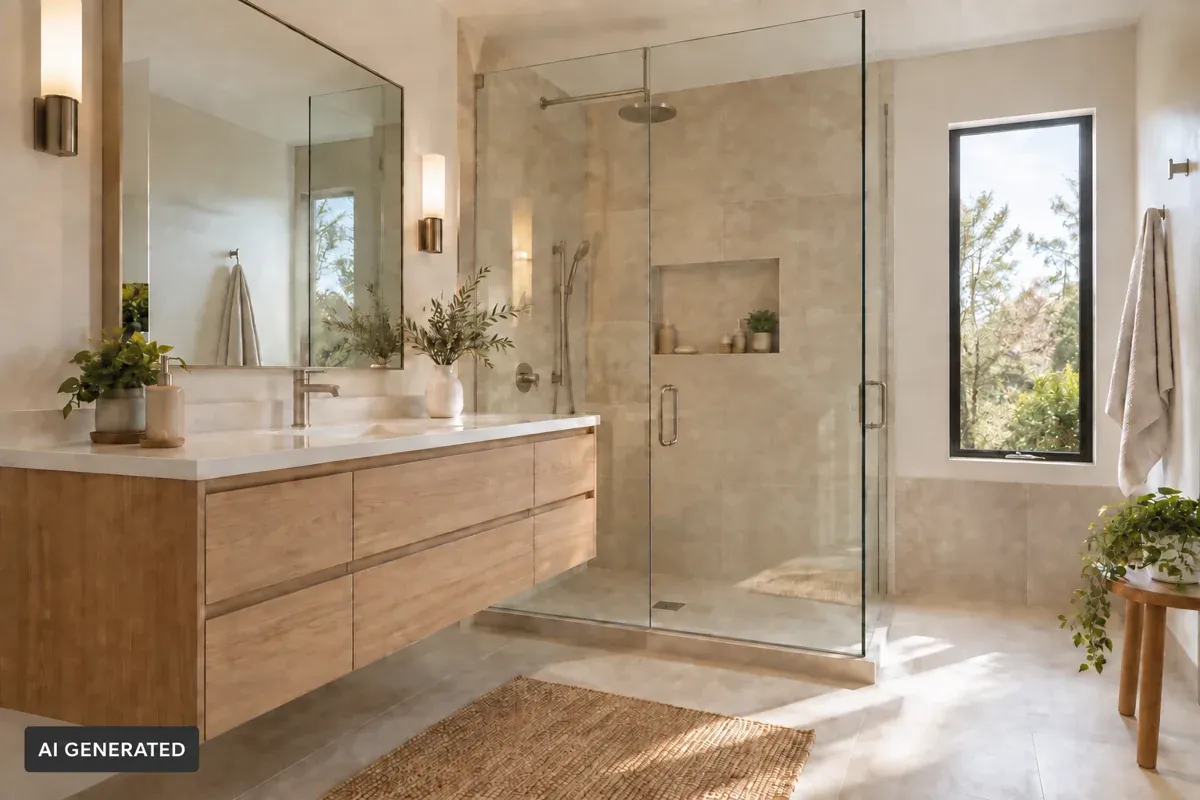
Finished Planner 5D bathroom render with a double vanity, freestanding bathtub, and plants
120M+

People use Planner 5D worldwide

4.5★

Highly rated on Google Play, App Store, Capterra and G2

Read reviews
Free to start

Create a room layout with the free plan

Start designing
Any device

Web, iOS, Android, Windows and macOS

Explore apps

Plan with more clarity

Design a better bathroom layout with less guesswork

Bathroom planning can be tricky. In addition to plumbing, storage, lighting, and fixture sizes, you need to consider how people will move around. Planner 5D’s AI bathroom planner helps you test ideas faster, so you can build a layout that feels practical, balanced, and easy to use.

Explore bathroom styles in AI Studio before refining your layout.

From your starting point to a finished idea

How to design a bathroom with AI

Start with what you have: a bathroom photo, room dimensions, a design brief, or an existing floor plan. Choose the Planner 5D tool that fits your starting point, then refine the result as your ideas become clearer.

Bathroom project created in Planner 5D with a bathtub, shower, and vanity

Get ready

1. Gather your room details

Measure the walls and note doors, windows, plumbing points, and fixtures that must stay in place. If you want to explore styles, take a clear photo of the bathroom. Keep any existing floor plan or inspiration images nearby.

Pick your path

2. Choose how to start

AI Studio — Start with a photo

Upload a bathroom photo to AI Studio to explore visual directions. Generate variations, describe a change with Edit, or use Swap Material inside AI Studio to compare tile, stone, wood, and other finishes. Add reference images when you want to guide the style. Save the concepts you prefer as inspiration for your project.

AI Studio creates and edits visuals. Use an editable Planner 5D project when you need to work with room dimensions and fixture placement.

Smart Wizard — Start with room dimensions

Choose the bathroom’s shape and enter its wall lengths in Smart Wizard. Select Bathroom as the room type and pick a style to generate a furnished starting layout. Preview the result, compare available arrangements, and save the room as an editable project.

Copilot — Start with an idea or design brief

Open a blank project, enter any dimensions you know, and tell Copilot what you want to create. Describe the fixtures, storage, style, and elements that must remain in place. Review the initial design, request specific changes, and adjust the result yourself in the 2D and 3D editor. Copilot uses separately purchased credits.

Already have a floor plan? You can upload a clear, top-down plan with AI Floor Plan Recognition to create an editable project on an eligible paid plan. Check the generated dimensions and openings against your source plan before continuing.

Explore the options

3. Compare ideas

In AI Studio, compare visual variations and save the look you prefer. In Smart Wizard, explore different furnished arrangements. With Copilot, ask for a specific alternative and explain which parts of the bathroom should stay as they are. If you uploaded a floor plan, use its recognized room structure as the starting point for layout changes.

Bathroom project in Planner 5D with a double vanity, storage, and toilet

Make it yours

4. Refine the design

Adjust the shower, toilet, vanity, storage, materials, and lighting in an editable project. You can give Copilot a focused follow-up request, then fine-tune the result manually. Use AI Studio to test visual details in an image, and carry your preferred colors and finishes into the project.

Finished 3D render of the bathroom
Top-down 2D floor plan of the same bathroom on a light planning grid

Check the details

5. Review and share

Compare the editable plan with your measurements and the specifications of the fixtures you intend to buy. Check door swings and room to move, then save and share your preferred design. Confirm plumbing, electrical, ventilation, and installation requirements with the relevant professionals before work begins.

Start your bathroom project

Bathroom remodel AI workflow

Plan an AI bathroom remodel

For an AI bathroom remodel, start by exploring the look you want in AI Studio. A photo can help you compare tile, vanity finishes, colors, and lighting before you decide which changes to develop.

When you are ready to plan the room, use Smart Wizard to generate an editable bathroom from its shape and dimensions. Use Copilot to create or revise the project from your instructions, including the fixtures you need and the elements that must remain in place. If you have an existing floor plan, AI Floor Plan Recognition can convert it into an editable starting point on a paid plan.

Review your preferred style in the 2D and 3D project, adjust fixture placement, and check actual dimensions. Visual ideas and generated layouts are starting points for planning; technical details require professional verification.

Create your bathroom project
AI-generated bathroom remodel concept board with limestone, pale oak, brass, sage fabric, and room sketch

Illustrative AI concept: choose materials before developing the layout.

Design with more confidence

Benefits of using an AI bathroom design generator

See how AI can help you compare bathroom layouts and styles, preview fixtures and finishes, and make choices before you renovate.

Smarter bathroom layouts

Explore where to place the toilet, shower, bathtub, vanity, and storage so the room is easier to use.

Faster design decisions

Compare layout and style ideas without rebuilding your design from scratch each time.

Realistic bathroom visualization

Preview colors, materials, fixtures, and finishes before making changes to the real room.

Better use of small spaces

Find ideas for compact bathrooms, powder rooms, and rooms with awkward floor plans.

Beginner-friendly planning

Create bathroom ideas online without needing design experience or professional design software.

Clearer contractor conversations

Share a layout or project view when discussing fixture placement, storage, and the changes you want to make.

Experiment before you buy

Compare color palettes, tile, finishes, and lighting in visual concepts before choosing products for the real room.

Your next step

Interested in Planner 5D?

Bring your bathroom ideas into an editable project and keep refining the design.

Start designing
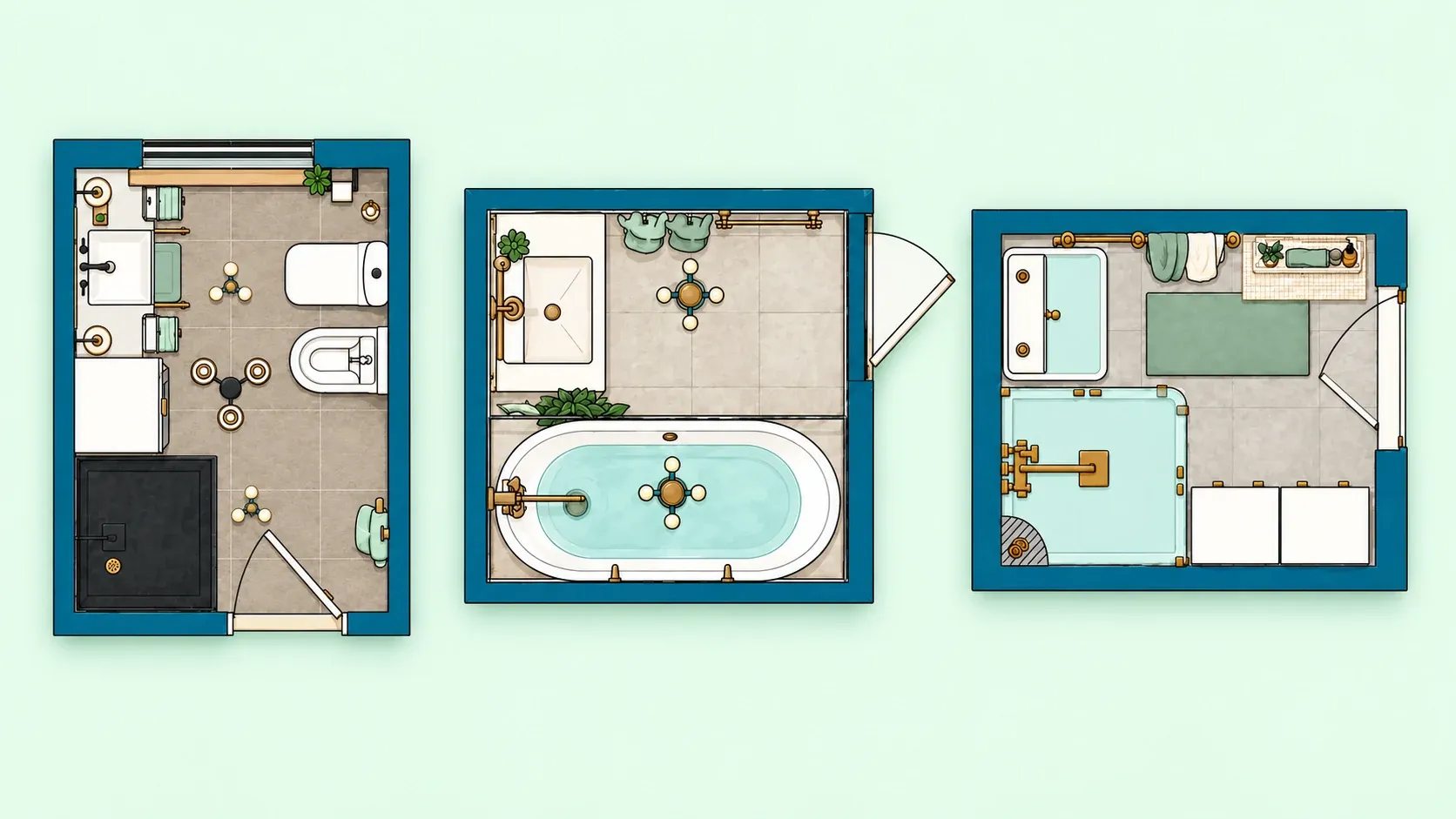
2D bathroom floor plan with shower, bathtub, vanity, doors, and circulation space

Plan the details

Tips for creating better bathroom floor plans

A good bathroom floor plan starts with accurate measurements, thoughtful fixture placement, and enough space to move comfortably. Use Planner 5D to compare arrangements, then check the details against your actual room and the products you intend to use.

  • Measure your bathroom accurately: Include wall lengths, ceiling height, doors, windows, plumbing points, and any corners or alcoves.
  • Plan fixture placement: Consider where the toilet, shower, bathtub, vanity, and storage will go before choosing colors and finishes.
  • Leave enough room to move: Check door swings, drawer clearance, and the space around each fixture.
  • Think about lighting early: Plan natural and artificial lighting so the bathroom feels bright and works for daily tasks.
  • Balance function and style: Choose fixtures, finishes, and a layout that suit both the look you want and your routine.

Check the real-world details

Where AI bathroom design still falls short

AI bathroom concepts can help you see options, but they cannot determine whether a remodel will work in the physical space. A convincing render is a planning aid, not a construction document. Check these details against the real room before ordering fixtures or starting work.

Planner 5D plans

Choose a plan for your bathroom design

Start with a free 2D and 3D bathroom project. Compare plans when you need automatic floor-plan recognition, more catalog choices, or detailed renders.

Billing period

Free

$0

Free to start

  • Unlimited projects
  • 2D and 3D editing
  • Web and mobile access
  • 50% of the furniture catalog
Start free

Premium

$4.9919.99/ month

Billed annuallyBilled monthly

  • Everything in Free
  • Full 10K+ furniture catalog
  • AI Floor Plan Recognition
  • Create 3D models from photos
  • Standard renders and Budget Widget
Explore Premium

US prices shown for reference. Currency, taxes, promotions, and included credits may vary by country. AI Studio generations use credits; Copilot credits are purchased separately. Check the current price at checkout.

Next chapter

Take your bathroom idea further with AI Studio

Found a bathroom look you like? Use AI Studio to try new tile, wall colors, vanity finishes, and lighting on your photo. Compare the results, save your favorites, and bring that direction into an editable 2D and 3D project.

Open AI Studio

Questions and answers

FAQ

What is an AI bathroom design tool?

An AI bathroom design tool helps you explore layouts and visual ideas online. With Planner 5D, you can test styles in images or develop an editable room project based on your dimensions and preferences.

Is Planner 5D’s AI bathroom design tool free?

You can create and edit a bathroom project in 2D and 3D with Planner 5D’s Free plan. Some AI features and generated visuals require a paid plan or credits. Check the current plans before starting a credit-based workflow.

Can I use it for a small bathroom?

Yes. Planner 5D can help you explore ideas for compact bathrooms, powder rooms, guest bathrooms, and narrow layouts. Compare fixture placement and storage options, then check the dimensions of the products you plan to use.

Do I need design experience?

No. Planner 5D is designed for beginners as well as homeowners, renovators, and design professionals.

Can I create a bathroom floor plan?

Yes. You can draw a bathroom floor plan in Planner 5D, test layouts, and view the room in 2D and 3D. If you already have a plan, automatic recognition can turn it into an editable project on an eligible paid plan.

Can I visualize different bathroom styles?

Yes. Use AI Studio to explore visual variations from a bathroom photo and compare colors, materials, fixtures, and finishes before choosing a direction.

Can ChatGPT design my bathroom layout?

A general-purpose chatbot can help you brainstorm bathroom ideas and describe possible arrangements. For a measured plan, enter your room dimensions in Planner 5D and develop the layout in its 2D and 3D editor. Check the generated result against your actual room before using it to make renovation decisions.

Does AI bathroom design account for plumbing and structural constraints?

AI can suggest fixture placement, but it does not verify existing plumbing, structural conditions, waterproofing, or local code requirements. Review the limitations above, then have a qualified professional check feasibility before moving a shower, toilet, or wall.

What design styles can AI apply to a bathroom?

You can explore modern, contemporary, industrial, traditional, coastal, and minimalist bathroom ideas. The available style choices depend on the Planner 5D tool you use. AI Studio can test visual directions from a photo, while an editable project lets you refine the chosen look.

How do I turn an AI bathroom design into an actionable contractor plan?

Save the editable layout and share its measurements, fixture positions, reference images, preferred finishes, and product specifications with a qualified contractor. A bathroom remodel AI concept is a useful discussion starting point; the contractor must verify clearances, plumbing, electrical work, waterproofing, and installation details.

How much does Planner 5D cost?

The Free plan costs $0 and includes unlimited projects and access to half the furniture catalog. Published US prices are $19.99 per month or $59.99 per year for Premium, and $49.99 per month or $399.99 per year for Professional. Premium and Professional include AI Studio credits; prices and allowances can vary, so check the current plans before subscribing.