AI Landscape Design Generator

Create a personalized landscape plan for your yard, garden, or outdoor space with Planner 5D’s AI landscape design generator. Explore different layouts, test design ideas, and preview your project with realistic visuals before making any changes.
Customers Rating

Benefits of using AI landscape design generator

Create layouts faster

An AI landscape design generator can speed up the early planning stage by suggesting layouts and helping you organize plants, paths, seating areas, and other outdoor features. This gives you more time to compare ideas and refine the design.

Explore ideas for your space

Use AI to test different ways of arranging your yard or garden. You can experiment with outdoor zones, landscaping features, and design styles before deciding which option best suits your space.

Preview your design

Realistic visualizations make it easier to understand how a landscape layout could look once completed. Review the placement of plants, furniture, paths, and other garden features before starting the work.

Estimate costs and set budgets

Integrated cost data makes it easy to estimate materials and labor, helping you stay on budget while enhancing your landscape. Whether you're considering different plants, ground covers, or hardscapes like pools, you can plan and allocate resources more effectively.

Adaptive learning

Over time, AI tools become smarter by learning from your preferences and previous projects. This enables even more accurate suggestions for future designs, keeping your spaces in line with modern trends and efficient practices.

Ready to design your outdoor space?

Create a personalized landscape layout with Planner 5D

Why use an AI landscape design tool

An AI landscape design tool helps you turn early ideas into a clear visual plan. Instead of relying only on sketches or inspiration photos, you can test layouts, organize outdoor zones, and see how different features work together.

Planner 5D can be used by homeowners, DIY renovators, and design professionals. You can explore ideas for backyards, gardens, lawns, and other outdoor areas without needing advanced design experience.

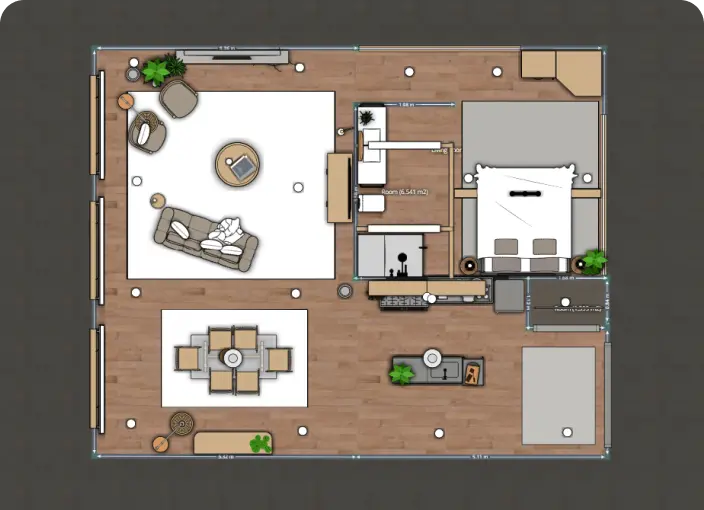
full apartment floor plan


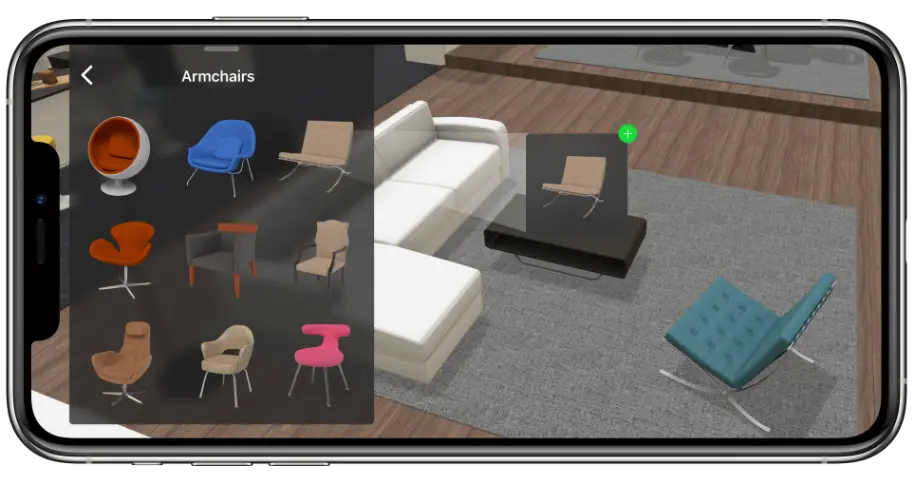
Start by creating or uploading a layout. Add the dimensions of your space, then experiment with furniture, plants, pathways, and outdoor features. You can adjust the design until the layout fits your needs and style.

You’ll save time, reduce errors, and get a fully personalized design. Perfect for transforming patios, lawns, or full-scale yard renovations.

F.A.Q.

What is an AI landscape design generator?

An AI landscape design generator is a tool that helps users create and visualize outdoor layouts. It can suggest plant, path, seating area, and other landscape feature arrangements based on the information the user enters.

How does AI landscape design work?

AI landscape design tools use details such as the size of the space, selected features, and design preferences to generate or suggest layout ideas. Users can then edit the result and create a more personalized design.

What can I design with Planner 5D?

You can use Planner 5D to plan indoor and outdoor spaces, including yards, gardens, patios, terraces, and home interiors. For more focused guidance, visit the dedicated garden design or patio design pages.

Who can use an AI landscaping tool?

AI landscaping tools can be used by homeowners, renters, DIY renovators, garden planners, and design professionals. They are helpful for anyone who wants to test ideas and visualize an outdoor space before beginning a project.

Is Planner 5D's AI landscape design generator free?

Planner 5D offers a free version of its AI landscape design tools, allowing users to get started without any cost. You can explore basic features, upload images, and generate multiple design ideas before committing to premium upgrades.

How can I get better AI landscape design results?

Use accurate dimensions and include existing features such as buildings, fences, paths, and trees. Choose a clear purpose for the space, add your preferred elements, and test several layouts before finalizing the design.
Got more questions? Get in touch.