1. Choose your starting point
Upload a photo with Design Generator or start from scratch with Smart Wizard.
AI Floor Plan Generator is an AI tool that creates a structural floor plan automatically, so you can get started faster without building the layout manually or needing design experience. With Planner 5D, you can then explore your space through 2D or 3D visualizations and continue refining the layout in just a few clicks.
Experience the future of home design with Planner 5D's AI-generated floor plans. Our intuitive platform allows you to turn your vision into reality with just a few clicks. Whether you're planning a cozy studio or a sprawling estate, our AI technology can generate detailed floor plans tailored to your preferences and spatial requirements.
Simply input your desired dimensions, style, and special features, and watch as our system crafts a comprehensive layout that maximizes both aesthetics and functionality.
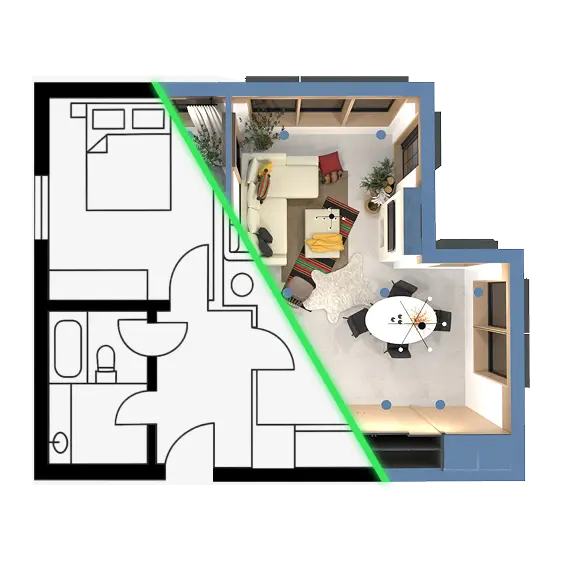
If you're looking to create a 3D design of your home quickly, make sure to try our AI floor plan recognition tool. The process is very simple. First, you need to upload the image of your home plan in jpeg, JPG or PNG format. The plan will automatically be recognized and you'll receive an email notifying you that the design is ready. After that, all you have to do is open the project and enjoy the 3D floor plan of your home. Already have a printed or hand-drawn floor plan? Convert it straight into a 3D model.
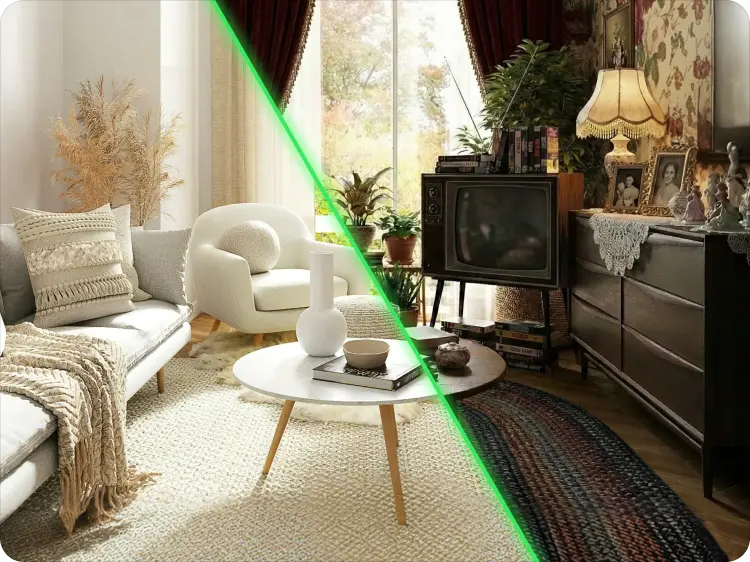
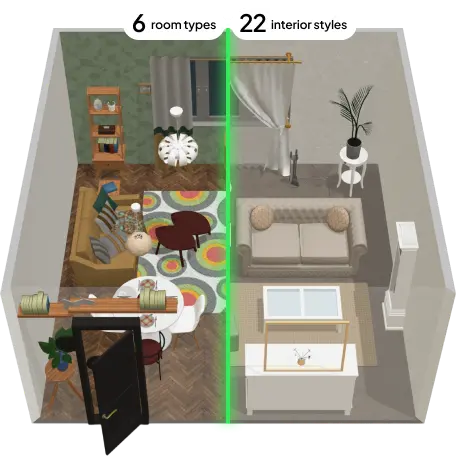
Upload a photo with Design Generator or start from scratch with Smart Wizard.
AI creates an initial 2D and 3D floor plan in moments.
Adjust walls, furniture and dimensions in the Floor Plan Editor.
Yes, AI tools can assist and enhance the interior design process but can't fully replace human designers. AI-powered tools offer features like 3D modeling, space planning and material selection. However, human creativity, intuition and client collaboration are still crucial in achieving successful interior design outcomes.
No, AI is not expected to replace interior designers. It is more likely to aid and enhance their capabilities. While AI can automate tasks like generating design recommendations and performing data analysis, human designers bring unique creativity, problem-solving skills, and an understanding of client needs, ensuring a personalized and holistic design approach.
The cost of interior AI technology varies depending on the specific software or service. There are some free AI interior design tools that offer free versions with limited features, while others have subscription-based pricing models. Higher-end software may involve a monthly or annual fee. You should always research different options to find the one that aligns with your budget and requirements.
Artificial Intelligence can analyze design patterns, user preferences and data to generate design recommendations, simulate lighting conditions, and assist in space planning. AI also enables virtual reality (VR), augmented reality (AR), real-time rendering, and image generation, enhancing visualization and client engagement.
Start by choosing a free AI tool that suits your needs, like Planner 5D. These tools allow you to upload photos of your space or create a floor plan. The AI will analyze the inspiration image, room layout, lighting conditions, and your personal preferences to suggest optimal furniture placement, color palettes, and decor styles. You can also experiment with generating AI images to spark ideas and virtually stage empty spaces. Planner 5D also offers 3D visualizations and virtual staging.
The best AI interior design app is Planner 5D. It combines powerful AI features with an intuitive interface, making it ideal for both design enthusiasts and professionals. With Planner 5D, you have full creative control to generate layouts, visualize furniture placement, and explore different styles using smart suggestions based on your space and design preferences. The platform offers an extensive library of furniture and decor items, and realistic 3D renders. Planner 5D is available as a free app, so you can start creating without any cost and upgrade later if needed.
Yes! In the world of interior design and architecture, AI tools like Planner 5D make it simple to create floor plans in just a few clicks. Our platform uses smart AI technology to help you design and visualize your space quickly and easily — turning your ideas into professional-looking layouts without the hassle.
Recognition typically takes 1-2 minutes. You'll receive an email notification when your 3D design is ready, and you can start editing immediately.
Yes, you can start for free! Create your first floor plan at no cost. Premium features and advanced exports require a subscription, starting at $4.99 per month!
Yes! Interior designers, architects, real estate agents, and contractors all use Planner 5D for client presentations. Premium plans include commercial use rights. Check your plan details for specific permissions.
Image recognition measurements are approximate based on image quality and perspective. For professional projects, verify critical dimensions before finalizing. You can manually adjust measurements in the editor.
Absolutely! AI-generated plans are just the starting point. Use our editor to add, remove, or reposition walls, doors, windows, and furniture. Change colors, materials, and style to match your vision exactly.
AI-generated floor plans are useful for early-stage planning and for discussing ideas, dimensions, and layout options with a contractor. However, they should not be treated as a substitute for professional review before submitting plans for permits or using them as formal construction documentation.
Yes. With Design Generator, you can upload a photo of an existing room or space and use it as input for an AI-generated floor plan. This is different from the Floor Plan to 3D Model workflow, which starts from an existing drawn, scanned, or printed floor plan rather than a room photo.
AI Floor Plan Generator is built for both homeowners and professionals. Homeowners can use it for planning and visualization, while architects and designers can use it as a fast starting point for developing and communicating layout ideas.
You previously signed up with these emails:
We appreciate your enthusiasm for our product, so we’re offering you 50% off your first year.