Describe your design concept
Open AI Studio and enter a prompt describing the style, colors, materials, and atmosphere you have in mind. You can also upload photos or other visual references to guide the AI.
Ideas, colors & materials in one place
Turn design ideas into visual concepts with Planner 5D's mood board AI. Start in AI Studio with a prompt or reference image, compare styles, colors, furniture, and materials, then refine your favorite direction on an interactive canvas.
People use Planner 5D worldwide
Average review rating
Read reviewsDevelop your concept in a separate 2D/3D project
Start designingWeb, iOS, Android, Windows and macOS
Explore apps01 / The workspace
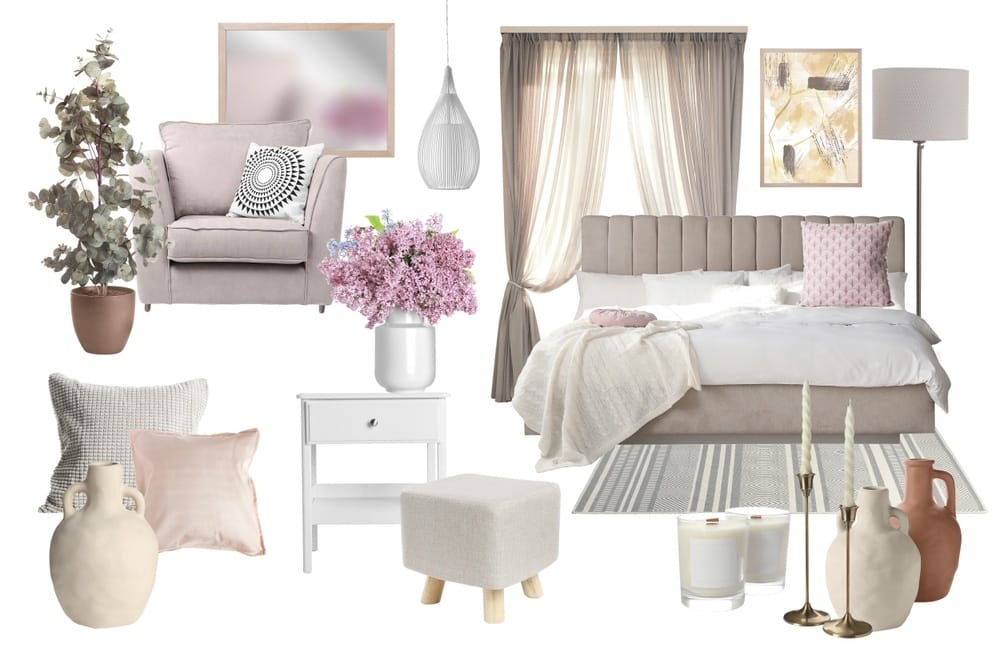
A mood board helps define the look and feel of a space before you start designing it. With Planner 5D AI Studio, you can use AI to explore visual directions, generate inspiration, and bring together colors, textures, furniture, and decorative elements.
Describe the atmosphere you want to create or upload reference images to guide the results. Compare different aesthetics, adjust specific details, and organize your favorite visuals on the canvas.
AI Studio uses credits for image generation. Credit availability and costs depend on your plan, selected tools, and generation settings.
See design ideas take shape in AI Studio.
02 / Step by step
Open AI Studio and enter a prompt describing the style, colors, materials, and atmosphere you have in mind. You can also upload photos or other visual references to guide the AI.
Use AI Studio to create visuals that express your concept. Experiment with different color palettes, furniture styles, textures, and decorative elements, and compare alternatives before choosing a direction.
Keep developing your concept on the AI Studio canvas. Generate variations, change individual details, and organize the visuals that best represent your design. Save your favorite images to use as references for your project.
03 / Make the concept tangible
Your mood board can bring together different elements of an interior design project. AI Studio helps you explore how those elements complement each other before making final decisions.
04 / Prompt ideas
Not sure where to start? Try these prompts in AI Studio and adjust the details to match your project.
“Create an interior design mood board for a Japandi living room. Include warm oak, linen upholstery, natural stone, soft beige and cream tones, minimalist furniture, and subtle Japanese-inspired decor. Arrange the elements in a cohesive visual composition.”
“Generate a modern kitchen mood board featuring walnut cabinets, cream-colored countertops, brushed brass hardware, warm white walls, and contemporary lighting. Include coordinating material samples and a neutral color palette.”
“Create a cozy bedroom mood board with earthy colors, soft textiles, upholstered furniture, natural wood, ambient lighting, and layered bedding. Use a warm, relaxing aesthetic with a balanced arrangement of materials and decorative details.”
“Design a contemporary home office mood board with a muted green and beige palette, walnut furniture, ergonomic seating, modern desk accessories, architectural lighting, and minimalist decor.”
05 / Creative freedom
Use visual ideas to give your project a clear direction before you make decisions about your space.
Create a mood board that captures your style and gives your design a clear direction.
06 / Room by room
Whether you're redecorating one room or planning a complete renovation, an AI-generated mood board can help establish a consistent design style.
Explore sofa styles, rugs, accent colors, lighting, and decorative combinations.
Find inspiration for bedding, textiles, furniture, materials, and relaxing color schemes.
Compare cabinet finishes, countertops, backsplashes, hardware, and lighting.
Experiment with tiles, stone finishes, fixtures, vanities, and coordinated palettes.
Combine functional furniture, lighting, storage, and decor into a cohesive workspace concept.
Once you've chosen a direction, use Planner 5D's 2D/3D design editor to explore how your ideas might work in an actual room layout.
07 / Another way to create
AI Studio isn't the only way to organize your design inspiration. Planner 5D also offers a dedicated online mood board maker for users who prefer to select and arrange each element themselves.
Which should you choose? Use AI Studio when you want AI to generate ideas and visual concepts from your instructions. Choose the manual mood board maker when you already have specific references and want direct control over how they're arranged.
Subscription required: The manual mood board maker is available on the web with a Planner 5D PRO subscription. Compare plans.
08 / AI credits
AI Studio uses AI credits to generate and edit visuals. The number of credits required depends on the AI model, tool, and settings you choose.
No included monthly AI credit allowance.
Credit packs may be available to purchase.Includes 100 AI Studio credits with monthly billing, or 1,200 with annual billing.
For more frequent concept exploration.Includes 1,000 AI Studio credits with monthly billing, or 12,000 with annual billing.
For a larger volume of visual concepts.Additional credits can be purchased when needed. AI generation is not unlimited, even with a paid subscription. Check your balance and the cost of each action before generating. You can also explore the manual mood board maker if you prefer to organize your references yourself. See current plan details.
09 / FAQ
An AI moodboard generator is a tool that uses artificial intelligence to create visual inspiration based on text prompts or reference images. It can help you explore color palettes, materials, furniture styles, and design concepts before developing a project.
The best option depends on your project and how you like to work. For interior design, Planner 5D AI Studio lets you start with a prompt or reference image, generate visual concepts, compare variations, and organize the results on an interactive canvas. Consider the editing tools and credit allowance you need when choosing a creator.
In AI Studio, generate images for the room, furniture, colors, and materials you want to explore. Use specific prompts to keep the visuals consistent, compare alternatives, and refine the details you like. Then arrange your selected images together on the canvas and save them as references for your project.
Start by describing your room, preferred style, color palette, materials, and atmosphere, or upload reference images. Generate a few directions in AI Studio, review what works, and create variations where needed. Organize the strongest visuals on the canvas to form a clear design concept.
Yes. With Planner 5D AI Studio, you can describe the design direction you want and generate corresponding visuals. Include details such as the room type, interior style, colors, textures, and preferred atmosphere to guide the results.
Yes. AI Studio supports reference images, including room photos and design inspiration. You can use them to guide new visual concepts, explore alternative styles, or generate complementary design elements.
AI Studio uses credits for AI generation. The Free plan does not include a monthly AI credit allowance, so generating mood boards with AI may require purchasing credits or subscribing to an eligible paid plan. Review the available options on the pricing page.
Yes. AI Studio lets you refine generated images, explore color combinations, and experiment with different materials and finishes. You can generate multiple versions until you find a direction you like. Review the results carefully, as AI-generated details may differ between variations.
AI Studio generates design visuals using AI and lets you refine and organize them on a canvas. The manual mood board maker is designed for assembling your own collections of images, colors, materials, and notes. Both support visual planning, but AI Studio is the main option for generating new mood board content with AI.
An AI mood board provides visual inspiration rather than an automatically editable room layout. You can use your chosen colors, materials, and furniture references to guide a separate project in Planner 5D's 2D/3D editor, where you can work with room dimensions and furniture placement.
Your next concept starts here
Bring colors, materials, furniture, and creative ideas together with Planner 5D AI Studio. Generate visual concepts, compare different styles, and develop a mood board that reflects your vision.
Ideas and advice
Keep developing your concept with guidance on mood boards, AI prompts, and color palettes.
Blog article
Learn how to collect visual references and give your design project a clear direction.
Read article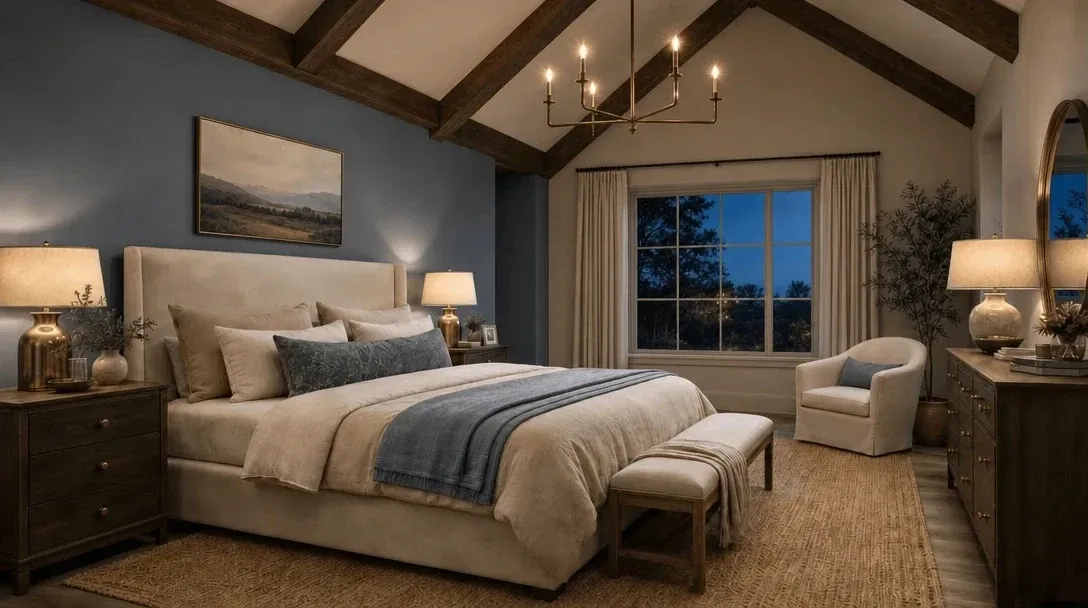
Blog article
Get ready-to-use prompt ideas organized by room and interior style.
Read article
Blog article
See how a thoughtful palette can connect walls, furniture, and decor.
Read article