7515
Susijusios idėjos



Designer’s notes
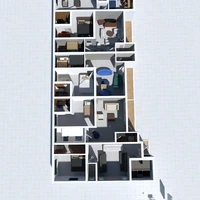
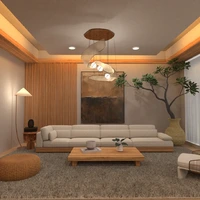
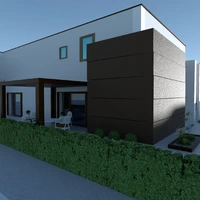
It took three weeks to finish it. This is my architect project, though i just added on the third floor.
Comments (21)

Katerina Sokorenko
this is just AWESOME
2013-03-12 09:18:52

Angela Jung
Whoa!!!!! I want to live in this house!!!
2013-03-13 13:51:48

Joseph Cua
how do you make floors?
2013-03-13 23:27:08

User 454487
I make floors from rugs.
2013-03-13 23:56:09

User 154916
como faz casa com dois andares?
2013-03-15 15:44:58
User 154916
how do you make floors I don't understand your answer
2013-03-15 15:55:43
User 154916
and how do you make the wall?
I don't know to put the tree if you can you explain to me, please?
2013-03-15 16:00:45
User 454487
To make floors you get a rug. Then click on the rug and on the wretch. On the above floor area, put it up as much as you want. I usually put it up 106 ft. above floor for the second floor and 212 ft. above floor for the third floor.
2013-03-16 17:27:54
User 454487
To make walls, use a cabinet or a rug. For this house I used cabinets for the walls, but for the other houses I make, I use rugs. Click on the above floor area, and change it to 106 for the second floor, and 212 for the third floor. Portuguese: Para fazer paredes, usar um armário ou um tapete. Para esta casa eu usei armários para as paredes, mas para as outras casas que eu faço, eu uso tapetes. Clique na área andar de cima, e alterá-lo a 106 para o segundo andar, e 212 para o terceiro andar.
2013-03-16 17:35:39
User 454487
Para fazer pisos você começa um tapete. Em seguida, clique no tapete e no desgraçado. Na área acima, colocá-lo tanto quanto você quiser. Eu costumo colocá-lo 106 pés acima do chão para o segundo andar e 212 pés acima do chão para o terceiro andar.
2013-03-16 17:36:50

User 580477
That is the most amazing house I have ever seen! Thanks for telling us how to make floors and walls.
2013-03-17 03:12:40

User 580487
AWESOME! AMAZING! REALLY AMAZING! THIS IS MY DREAM HOUSE!!!!!!!
2013-03-17 03:16:30

Maiara Dos Santos Silva
eu fiz os tapetes mas não consigo colocar os equipamentos no segundo andar
2013-03-18 14:26:40
User 454487
Para colocar móveis no chão, clique no mobiliário e em seguida, no chave inglesa.
No espaço acima, digite o quão alto você quer que ele vá. (Segundo piso: 106 pés chão Terceiro: 212 pés)
2013-03-18 22:12:24
User 154916
how do you put the rug if it is horizontal?
2013-03-18 22:26:12
User 154916
and thanks for the answer, this is the best house I've ever seen.
2013-03-18 22:28:38
User 454487
You can turn it with the arrows.
2013-03-18 22:29:08

sid2cute
very cool n now i know how to make floors
2013-03-18 23:30:06

User 598171
That is so cool!
2013-03-21 01:05:06

User 598188
Neat!
2013-03-21 01:12:19

aylen valenzuela
no es tan malo pero no es simplemente grandioso
2013-06-27 14:19:33

{comment}
{createdAt}